

How To Edit Videos Like A Pro Using These 5 Incredible AI Websites
Do you want to edit videos like a pro? If you thought that video editing is a challenging task, think again. Thanks to artificial intelligence (AI) technology, we now have access to video editing websites that can perform complex video editing with just a few clicks. While the traditional method of video editing may involve a high level of technical expertise, video editing with AI is user-friendly, efficient and reliable.
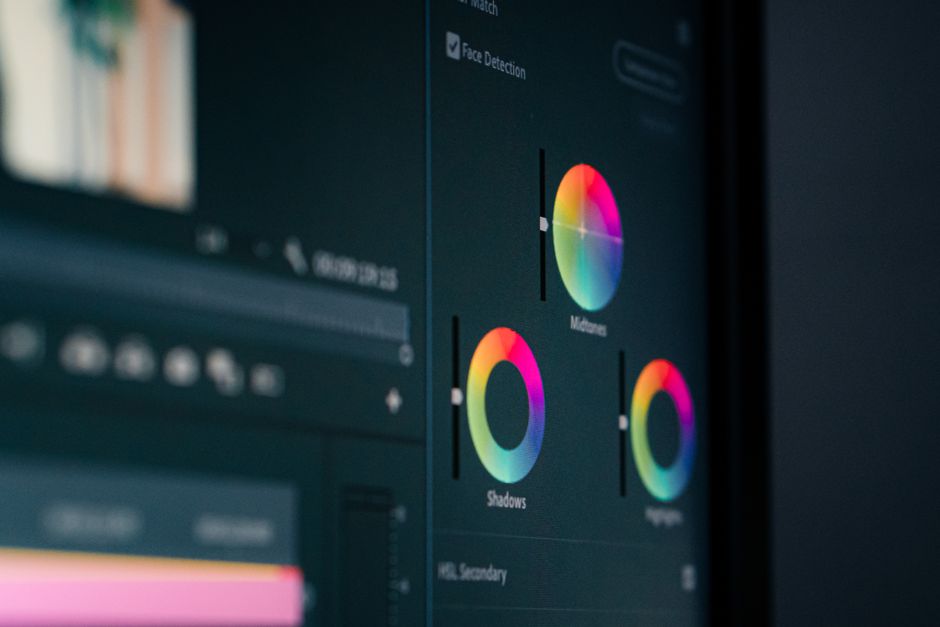 Photo by dlxmedia.hu on Pexels
Discover the Power of AI Video Editing.
Video editing with AI involves the use of machine learning and computer vision algorithms. By analyzing and classifying each frame, AI algorithms can detect audio, facial expressions, objects, and movements. AI can then automatically recommend the best transition effects, color corrections, audio enhancements, and even suggest the optimal sequence of videos to create a high-quality video.
Video editing with AI saves time and resources. With AI, you can check and review several effects before deciding which one to use. Therefore, you avoid the risk of ruining the video by trying different editing options manually. You can also edit high-quality videos in a shorter time, allowing you to deliver your project faster.
Explore the Top 5 AI Video Editing Websites.
1. Magisto
Magisto is a web-based platform that uses AI to transform your videos and photos into stunning movies that tell your story. With over 100 million users worldwide, Magisto is a popular tool for businesses and individuals looking to create engaging and impressive video content. Magisto has a simple user interface that allows you to upload your videos and photos, select a style, add music and text, and let the AI do the rest.
2. Adobe Premiere Pro
Adobe Premiere Pro is a popular video editing software used by professionals for creating movies, TV shows, and other video content. In its latest version, Adobe Premiere Pro has integrated AI features that enable users to automate video creations quickly. With Adobe Sensei, an AI-powered tool, you can edit videos with ease, remove unwanted footage and apply intelligent editing options.
3. Animoto
Animoto is an online video editor that allows you to create stunning videos with the help of its AI technology. Whether you're a professional or beginner, Animoto provides you with customizable templates that help you create eye-catching videos. Animoto provides you with plenty of music tracks and animations to choose from and supports a wide range of video formats.
4. InVideo
InVideo is a cloud-based video editing platform that focuses on making videos for social media platforms, marketing, and training. InVideo provides various editing tools that enable you to create engaging video content from pre-designed templates. The AI tool on InVideo is equipped with contextual awareness, which recommends animation styles and other tweaks based on your brand and video goals.
5. Lumen5
Lumen5 is AI-powered video editing software that transforms blog posts, news articles, and other written content into stunning videos. The Lumen5 AI engine analyzes your text, identifies key phrases, and then matches them with relevant media content. You can then customize the video with your brand colors, music, and animation effects.
Step-by-Step Guide to Editing a Video Using AI.
Step 1: Choose a Suitable Editing Platform
Once you identify the type of video you want to edit, select an appropriate platform among the top five AI video editing software choices. Some websites cater to video editing for social media platforms, while others are suitable for creating cinematic videos or training videos. You can also choose a platform that best matches your skill level.
Step 2: Preview the Video
The AI video editing platform you choose should enable you to have a preview of your video before making any final adjustments. Watching the preview helps you to make any necessary tweaks to the video before rendering it.
Step 3: Refine the Video
Regardless of the editing platform you choose, it is vital to refine your video by adding intros, transitions, text, music, and color corrections. Refining your video enhances its aesthetic value.
Step 4: Ensure Video Resolution and Quality
Before finalizing your video, ensure that it has the right resolution and quality. Ensure that your video is in high definition and can easily be watched on different devices.
Step 5: Save and Download the Video
Once you're satisfied with your video, you can save and download it. You can also share it on different social media platforms.
Conclusion
In conclusion, AI video editing technology can be a significant game-changer in video production. By using one of the top 5 AI video editing software options, you can streamline your video editing process and create high-quality videos effortlessly. AI-powered video editing software saves time and resources, making video editing more efficient and cost-effective. Additionally, editing videos using AI is user-friendly, even for beginners. With its vast array of features, it’s safe to say that AI video editing is the way to go if you want to create outstanding video content.


0 Comments